

2 videos · Hindi / Gujarati / English
Watch and learn — every step on video.
Short, practical videos for COD sellers: from your first order to bulk India Post shipping, label printing and profit tracking. Prefer reading? Try the picture guide.
⭐ Start here
How to Create Account, Set Up Your Store & Add Products | Indian Post Excel Setup (Step by Step)
In this video, I’ll show you how to get started from scratch: create your account, set up your store, fill in the Indian Post Excel details correctly, and add your products. No technical knowledge needed. By the end of this video, you will have: ✅ A verified account ✅ Your store created and ready ✅ Indian Post Excel details filled in and uploaded without errors ✅ Your first products added Chapters: 0:00 Introduction 0:30 Create your account 2:00 Create your store 4:00 Fill in the Indian Post Excel details 7:00 Add products (single and bulk) 10:00 Recap and next steps (Adjust the timestamps to match your final edit.) Tips: Keep your Indian Post Excel template open while following along. Use the same email and phone number you plan to use for your business. If you get stuck on the Excel upload, check the error message shown and compare it with the sample row in the video. Need help? Leave a comment below or contact us at [support email / link]. If you found this useful, like the video and subscribe for more tutorials. #IndianPost #OnlineStore #EcommerceIndia #StoreSetup #Tutorial
Open with chapters →How to do ?
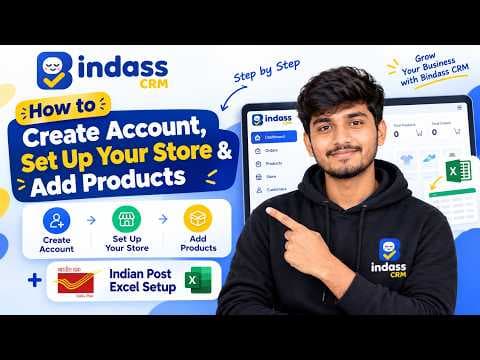 FeaturedHow to Create Account, Set Up Your Store & Add Products | Indian Post Excel Setup (Step by Step)In this video, I’ll show you how to get started from scratch: create your account, set up your store, fill in the Indian Post Excel details correctly, and add your products. No technical knowledge needed.
By the end of this video, you will have:
✅ A verified account
✅ Your store created and ready
✅ Indian Post Excel details filled in and uploaded without errors
✅ Your first products added
Chapters:
0:00 Introduction
0:30 Create your account
2:00 Create your store
4:00 Fill in the Indian Post Excel details
7:00 Add products (single and bulk)
10:00 Recap and next steps
(Adjust the timestamps to match your final edit.)
Tips:
Keep your Indian Post Excel template open while following along.
Use the same email and phone number you plan to use for your business.
If you get stuck on the Excel upload, check the error message shown and compare it with the sample row in the video.
Need help? Leave a comment below or contact us at [support email / link].
If you found this useful, like the video and subscribe for more tutorials.
#IndianPost #OnlineStore #EcommerceIndia #StoreSetup #Tutorial🌐 Hindi 4 takeaways 6 chapters
FeaturedHow to Create Account, Set Up Your Store & Add Products | Indian Post Excel Setup (Step by Step)In this video, I’ll show you how to get started from scratch: create your account, set up your store, fill in the Indian Post Excel details correctly, and add your products. No technical knowledge needed.
By the end of this video, you will have:
✅ A verified account
✅ Your store created and ready
✅ Indian Post Excel details filled in and uploaded without errors
✅ Your first products added
Chapters:
0:00 Introduction
0:30 Create your account
2:00 Create your store
4:00 Fill in the Indian Post Excel details
7:00 Add products (single and bulk)
10:00 Recap and next steps
(Adjust the timestamps to match your final edit.)
Tips:
Keep your Indian Post Excel template open while following along.
Use the same email and phone number you plan to use for your business.
If you get stuck on the Excel upload, check the error message shown and compare it with the sample row in the video.
Need help? Leave a comment below or contact us at [support email / link].
If you found this useful, like the video and subscribe for more tutorials.
#IndianPost #OnlineStore #EcommerceIndia #StoreSetup #Tutorial🌐 Hindi 4 takeaways 6 chapters How to Bulk Import WhatsApp Orders in Bindass CRM | India Post Speed Post SetupManaging multiple customer orders manually takes too much time! In this tutorial, learn how to bulk import WhatsApp orders into Bindass CRM and prepare orders for India Post Speed Post shipping.
📦 **What is Bindass CRM?**
Bindass CRM helps online sellers manage customer orders, products, order processing, and shipping workflows from one place.
🎯 Perfect for online sellers, small businesses, WhatsApp sellers, and businesses that ship orders through India Post.
#BindassCRM #BulkImportOrders #IndiaPost🌐 Hindi 8 takeaways 11 chapters
How to Bulk Import WhatsApp Orders in Bindass CRM | India Post Speed Post SetupManaging multiple customer orders manually takes too much time! In this tutorial, learn how to bulk import WhatsApp orders into Bindass CRM and prepare orders for India Post Speed Post shipping.
📦 **What is Bindass CRM?**
Bindass CRM helps online sellers manage customer orders, products, order processing, and shipping workflows from one place.
🎯 Perfect for online sellers, small businesses, WhatsApp sellers, and businesses that ship orders through India Post.
#BindassCRM #BulkImportOrders #IndiaPost🌐 Hindi 8 takeaways 11 chapters
Built for Indian sellers
Tonight's 50 parcels could take 10 minutes, not 3 hours.
Bulk-book India Post, print every label in one go, and let WhatsApp handle the “where is my order?” messages while you pack.
Free 50 orders · No credit card · Hindi / Gujarati / English support